RDF Model Viewer
Overview
This page explains how to use RDF Explorer and Protégé to visualize and explore the EN50090-6-2 HEBS Information Model ontology. These tools parse turtle (.ttl) format files and help you browse the ontology hierarchy and relationships between entities.
Ontology Files
The ontology files are available in the HBES Information Model GitLab repository. The models/ directory contains the turtle format files. Download the ontology.ttl file from the repository to explore the complete HEBS Information Model structure.
RDF Explorer
RDF Explorer is a web-based tool that lets you visualize and navigate RDF graphs directly in your browser. This tool is ideal for exploring the ontology structure without installing additional software.
Using RDF Explorer
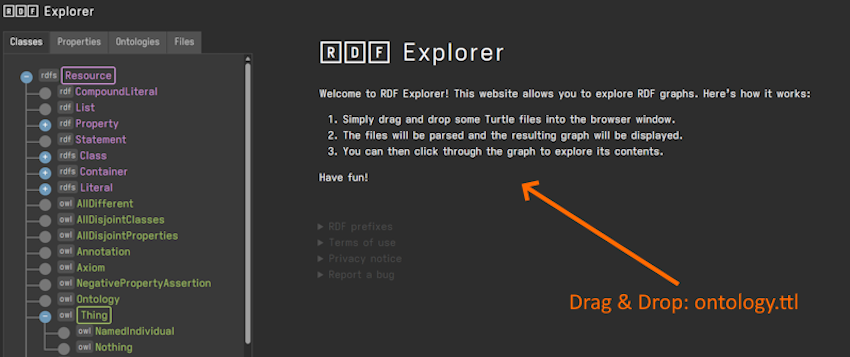
- Open your web browser and navigate to https://ektrah.github.io/rdf-toolkit/.
- Drag the downloaded turtle file (
ontology.ttl) into the browser window. - The tool parses the file and displays the resulting RDF graph structure.
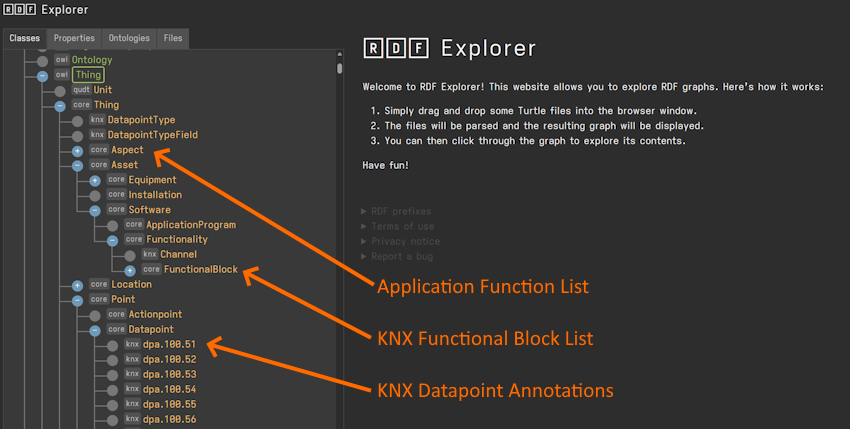
- Click through the graph to explore the ontology contents. You can navigate the hierarchy by clicking on entities to see their properties and relationships.
Protégé
Protégé is a free, open-source ontology editor and framework for building intelligent systems. It provides a comprehensive environment for viewing and editing ontologies with advanced features for exploring class hierarchies, properties, and individuals. You can adapt Protégé's plug-in architecture to build both simple and complex ontology-based applications. Developers can integrate the output of Protégé with rule systems or other problem solvers to construct a wide range of intelligent systems.
Using Protégé
- Download and install Protégé from https://protege.stanford.edu/.
- Launch Protégé after installation completes.
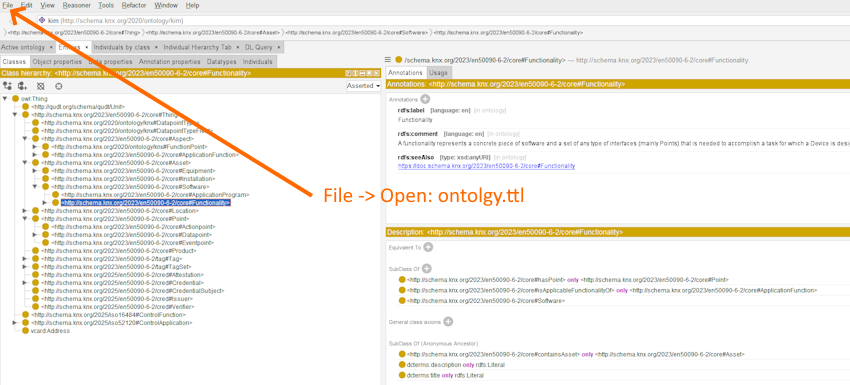
- Select File → Open from the menu.
- Navigate to the location where you saved the turtle file and select
ontology.ttl. - Protégé loads the ontology and displays the class hierarchy.