ETS Project Example
This guide shows how to use the KNX IoT Point API stack together with ETS. It covers a full commissioning flow and runtime data exchange. You can start with the provided ETS project or create your own project from the ETS product.
Repository files are in apps/knx/ets:
knx-iot-point-api-demo folder
apps/knx/ets/knx_iot_virtual_lsxb.knxprod(ETS product)apps/knx/ets/knx_iot_virtual_lsxb.knxproj(ETS project)
Start with ETS Project
This example uses an existing ETS project that already contains KNX IoT devices.
Stack Demo Applications
- Open the cloned KNX IoT Stack repository in your IDE. Build instructions: How to Build
- Build and run the Light Switch Actuator Basic (LSAB) and Light Switch Sensor Basic (LSSB) demo applications.
ETS6
- Install the latest ETS6. Installation guide: ETS6 software installation
- Open ETS6 and import the ETS project from the dashboard.
Import guide: Opening existing projects
Use
knx_iot_virtual_lsxb.knxproj. - In ETS Topology, select both devices and run
Download -> Download All. Commissioning guide: Commissioning Devices: IoT Sensor (LSSB) and IoT Actuator (LSAB).
ETS6
ETS6 documentation is available
in the ETS6 Professional documentation.
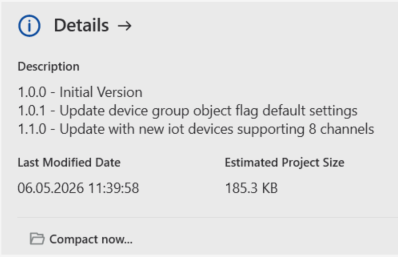
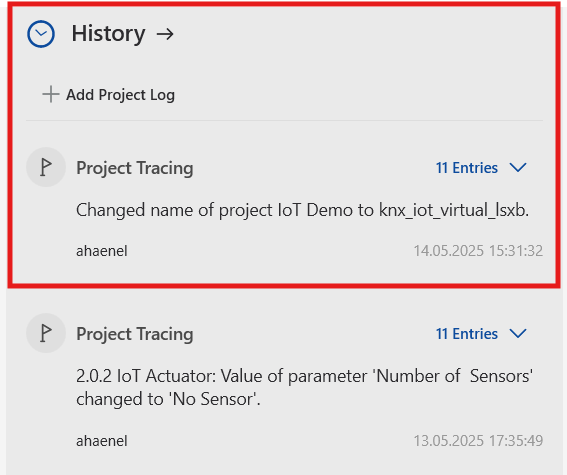
The following images show project details and project history tracing.
| Project Details | Project History/Tracing |
|---|---|
 |
 |
Start with ETS Product
This path imports the ETS product into a new or existing ETS project.
- Open ETS6 and create a simple project with one IoT line. Guide: Creating a new project
- Import the ETS product through the ETS catalog. Guide: Import and add products
- Add the product device from the catalog to the IoT line. Configure it as sensor or actuator. You can copy the device and use a different configuration.
- Link group addresses between devices.
- Download the devices. Guide: Commissioning
Data Definitions
The product follows a KNX standardized functional block definition.
It maps directly to the application code in /lsab and /lssb.
- Light Switch Actuator Basic (LSAB), Functional Block ID 417
- Light Switch Sensor Basic (LSSB), Functional Block ID 421
You can find data values, serial numbers, and device passwords in the related source files and in ETS product parameter help.

Serial Numbers
The example applications use placeholder serial numbers.
Raw Data
To inspect raw product data definitions, import the product file in KNX Manufacturer Tool 6 (MT6).
Use New Project -> Convert.
For device security, add device certificate data in ETS.
Guide: Adding device certificates
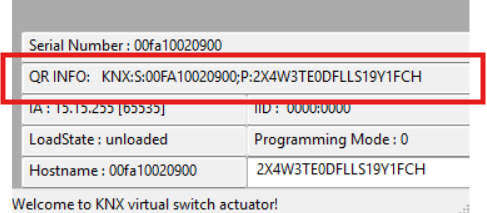
Certificate example from the application GUI:
KNX:S:00FA10020900;P:2X4W3TE0DFLLS19Y1FCH
Important Notes
TODO: Describe project setup based on an existing example.
